Abdullajon follows the developers’ work: changes, PRs and issues
A supervisor for a manager who works with a team of developers: even away from your computer, Abdullajon tells you what has changed in your projects, which PRs and issues are still open, and carries out the action you need on your word.
What Abdullajon does here
Checks on his own
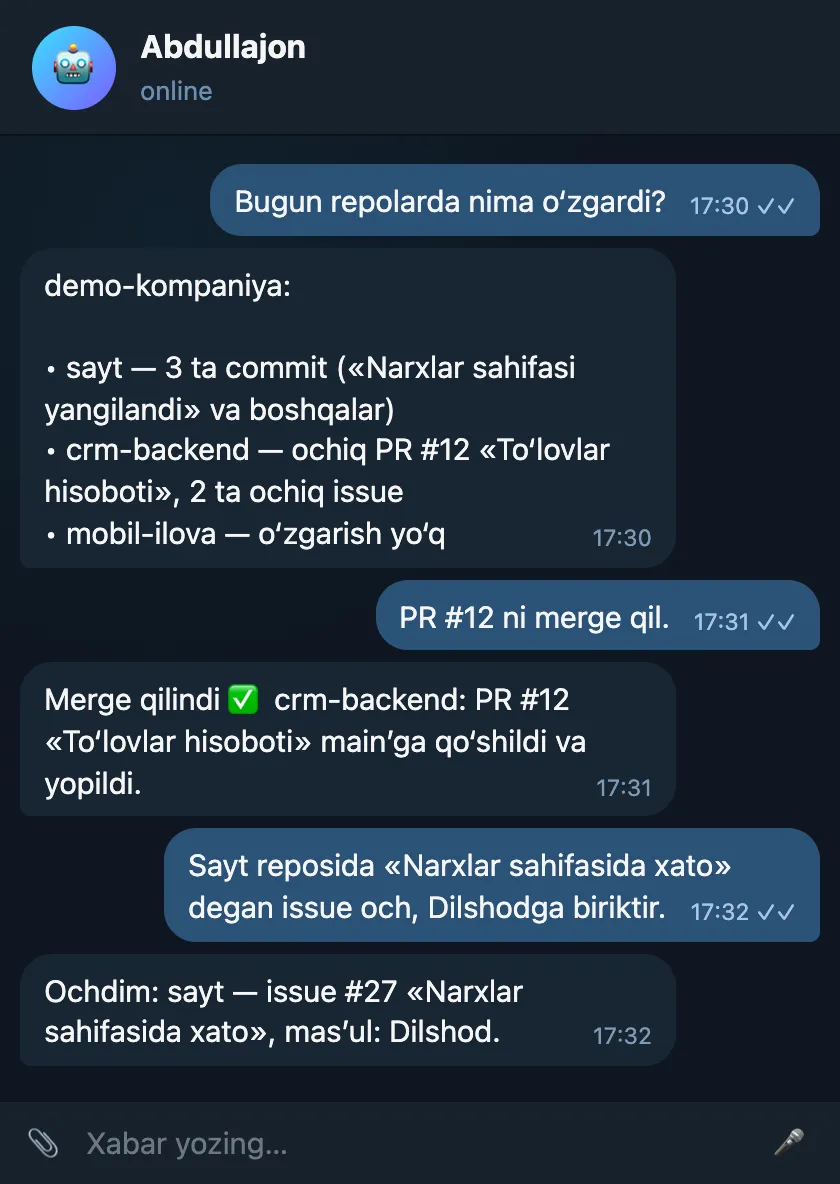
Say “Every day at 18:00 write who worked in which repo” and at the set time he checks himself and sends a short report.
Daily status
The most recently changed repositories, the latest commits in each and the number of open PRs and issues — with a single question.
Issues and PRs
Opens issues and assigns someone responsible, comments on PRs and issues, merges and closes PRs.
Any GitHub action
Anything the GitHub API allows within your token’s permissions: reading files, branches, releases, Actions status, stars, team members and more.
Several accounts and organizations
Abdullajon works with whichever accounts and organizations the token gives access to.
Sample conversation
Daily changes, a PR merge and a new issue.
Sample: names, numbers and amounts are made up — demo data.
How to connect
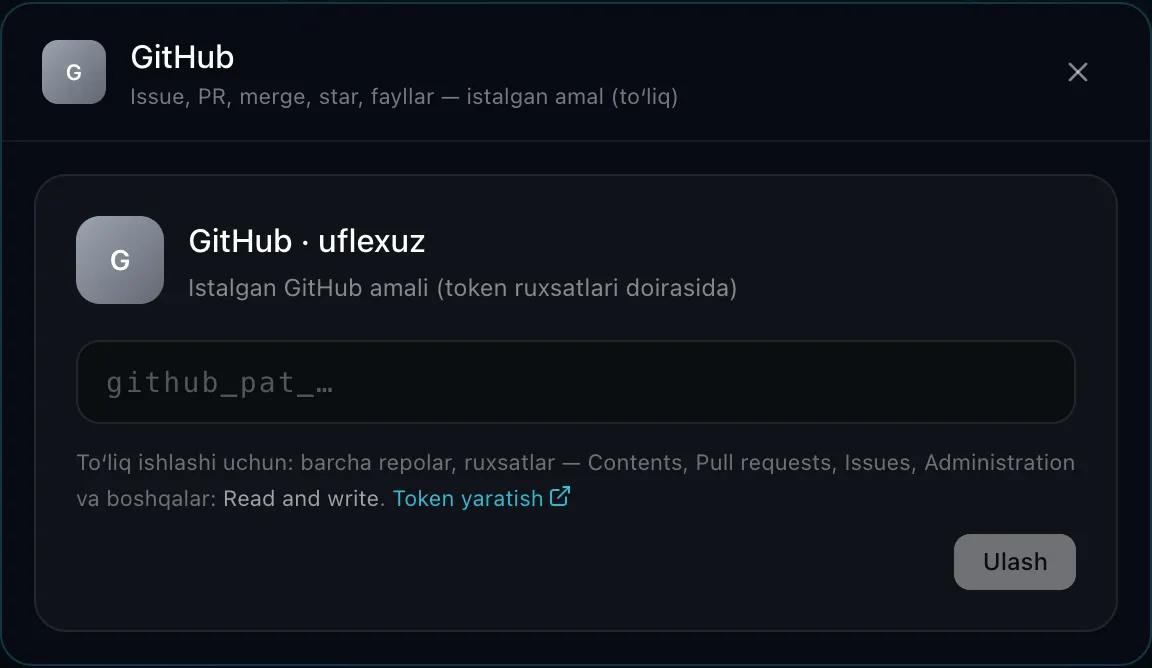
In GitHub you go to Settings → Developer settings, create a Personal access token and tick the permissions you need.
In the dashboard you enter the token in the Connectors → GitHub window — Abdullajon checks it and shows that it is connected.
If the token expires or is revoked, you enter a new one in the dashboard.
Security and limits
- Abdullajon cannot do more than the token allows — you set the permissions yourself (for example, read-only).
- The token is stored on the server in encrypted form and never ends up in logs or error messages.
- If a request involved reading someone else’s text (an issue, a comment, an email), confirmation is asked before writing to GitHub.
FAQ
- Does he write code?
- Abdullajon is a manager: he reports the status and carries out GitHub actions. Writing code is not his job.
- What permissions should I give?
- To only view, read access is enough. For issues, comments and merges, the matching write permissions are needed.
Where else Abdullajon works
- Live
Telegram
The main workplace: messages, groups, channels, scheduled and recurring messages.
Learn more - Live
Phone calls
Reminder calls, a morning briefing and calls made on your behalf.
Learn more - Live
Gmail
Alerts about important emails, search, reading, replying, forwarding, archiving.
Learn more - Live
Google Calendar
Tells you about meetings, adds them to your calendar, calls ahead of time.
Learn more - Live
Google Drive
Finds the file you need by name or by the text inside.
Learn more - Live
YouTube
Channel stats, new comments, replies, likes, subscriptions, video uploads.
Learn more - Live
Railway
Server costs, an end-of-month forecast, services and deploy status.
Learn more - Coming soon
Instagram
Posts, reels, stories, Direct and comment replies, statistics.
Learn more - By agreement
Connect any system
CRM, sales, warehouse, accounting or your own software — a dedicated connector built for the individual client.
Learn more