Abdullajon watches your mailbox: he will not miss an important email
You do not have to sit in your mailbox — Abdullajon keeps an eye on it for you. If an important email arrives from the bank, the tax office or about a domain expiry, he tells you himself; he finds and reads the email you need and sends your reply in the same email thread.
What Abdullajon does here
Alerts you to important emails
Picks out important emails — from your bank, the tax office, government services, domain expiry notices, payments and invoices — and briefly tells you about them in Telegram. He skips ads and social network emails.
Searches and reads
“The latest email from the bank”, “unread since yesterday” — he finds them with Gmail search, reads the whole email and gives you the gist.
Writes, replies, forwards
Writes a new email with the content you give him, replies to a received email in the same thread or forwards an email to another address.
Keeps your mailbox tidy
Archives, stars, marks as read or unread, sends to spam or restores from spam, moves to trash and brings back.
Several accounts
If several Gmail accounts are connected, he searches all of them at once and knows which account a reply should go out from.
In the morning briefing
In the morning call he also tells you about important emails that arrived overnight.
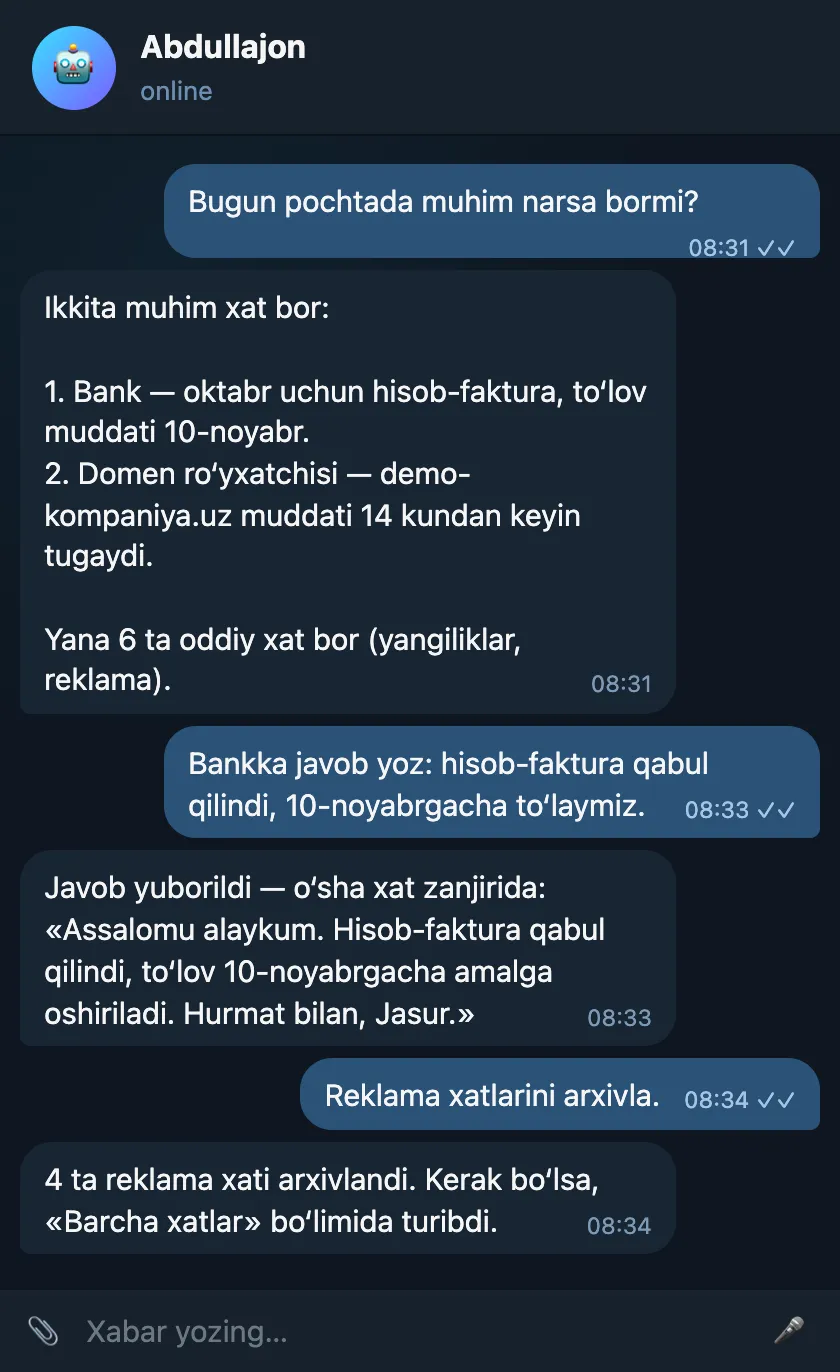
Sample conversation
A summary of important emails, a reply to the bank and archiving promotional emails.
Sample: names, numbers and amounts are made up — demo data.
How to connect
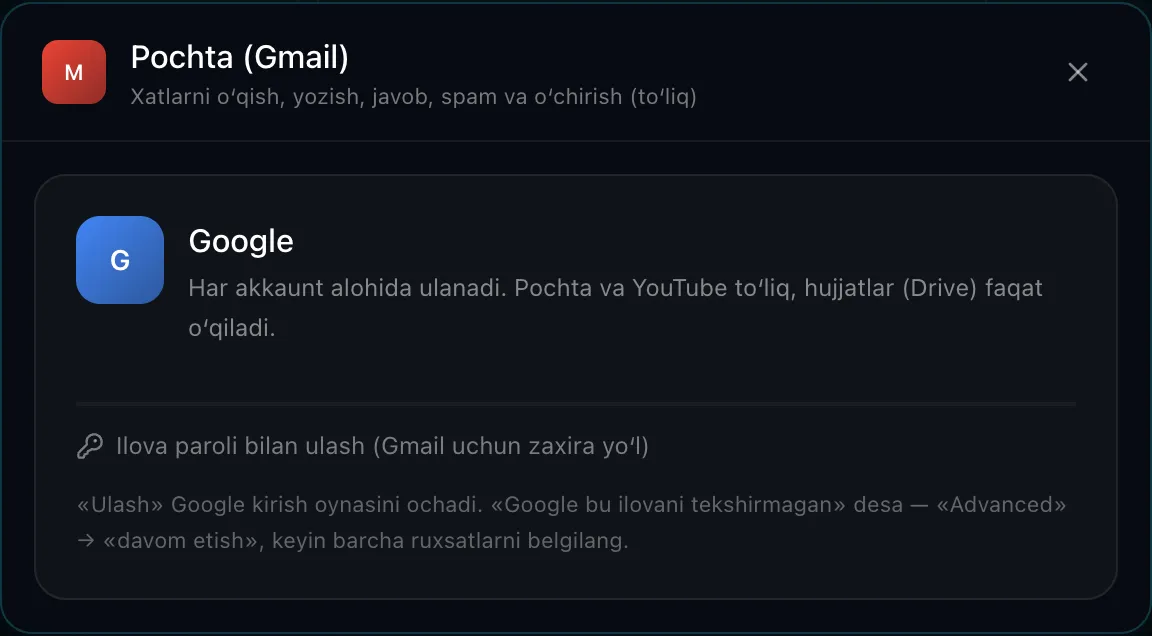
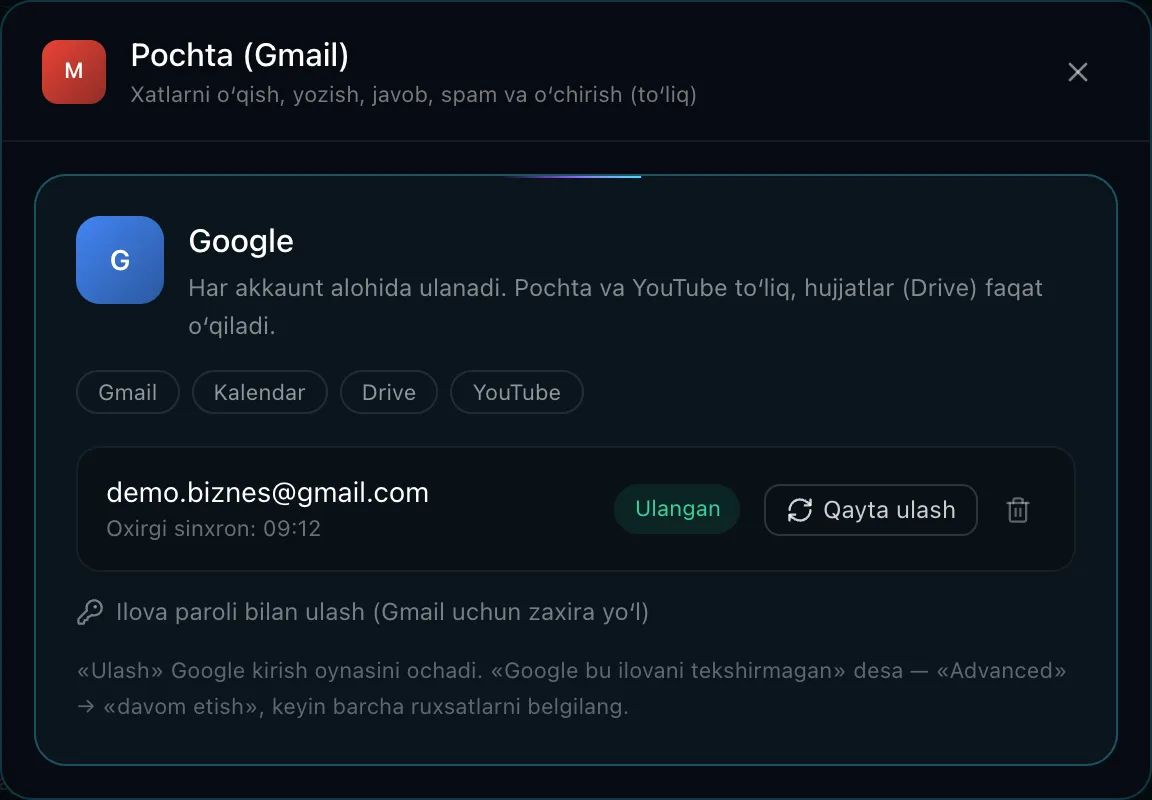
In the dashboard you click Connectors → Mail (Gmail) → “Connect” — Google’s official sign-in window opens.
You choose your Google account and tick the permissions. This single connection also covers Calendar, Drive and YouTube.
Alternative route: connect with an “app password” from your Google account settings — in that case Abdullajon only searches and reads emails.
You can disconnect at any time in the dashboard or in your Google account settings.
Security and limits
- Your Google password is never given to Abdullajon — the connection goes through Google’s official permission window.
- The access token is stored on the server in encrypted form, only in your own Abdullajon’s database.
- There is no way to delete an email permanently: a deleted email stays in the trash for 30 days and can be restored.
- Text inside an email cannot act as a command to Abdullajon: if a request involved reading an email, confirmation is asked before sending a new email or a reply.
FAQ
- Does he read all my emails?
- Only when you ask, or when checking for important emails. The important-email check covers incoming emails from the last day.
- Can a corporate (Google Workspace) mailbox be connected?
- Yes, a Google Workspace account is connected the same way. If your organization’s administrator has restricted third-party apps, you will need their approval first.
- How do I disconnect?
- With one button in the dashboard, or in your Google account settings under “Third-party apps”.
Where else Abdullajon works
- Live
Telegram
The main workplace: messages, groups, channels, scheduled and recurring messages.
Learn more - Live
Phone calls
Reminder calls, a morning briefing and calls made on your behalf.
Learn more - Live
Google Calendar
Tells you about meetings, adds them to your calendar, calls ahead of time.
Learn more - Live
Google Drive
Finds the file you need by name or by the text inside.
Learn more - Live
YouTube
Channel stats, new comments, replies, likes, subscriptions, video uploads.
Learn more - Live
GitHub
Repository status, commits, issues and PRs, merges, releases and other actions.
Learn more - Live
Railway
Server costs, an end-of-month forecast, services and deploy status.
Learn more - Coming soon
Instagram
Posts, reels, stories, Direct and comment replies, statistics.
Learn more - By agreement
Connect any system
CRM, sales, warehouse, accounting or your own software — a dedicated connector built for the individual client.
Learn more