Abdullajon finds your document: a contract, report or spreadsheet
You do not have to remember which folder a file is in: tell Abdullajon “find the contract” and he finds it in Drive by its name or a word inside and sends you the link.
What Abdullajon does here
Finds by name
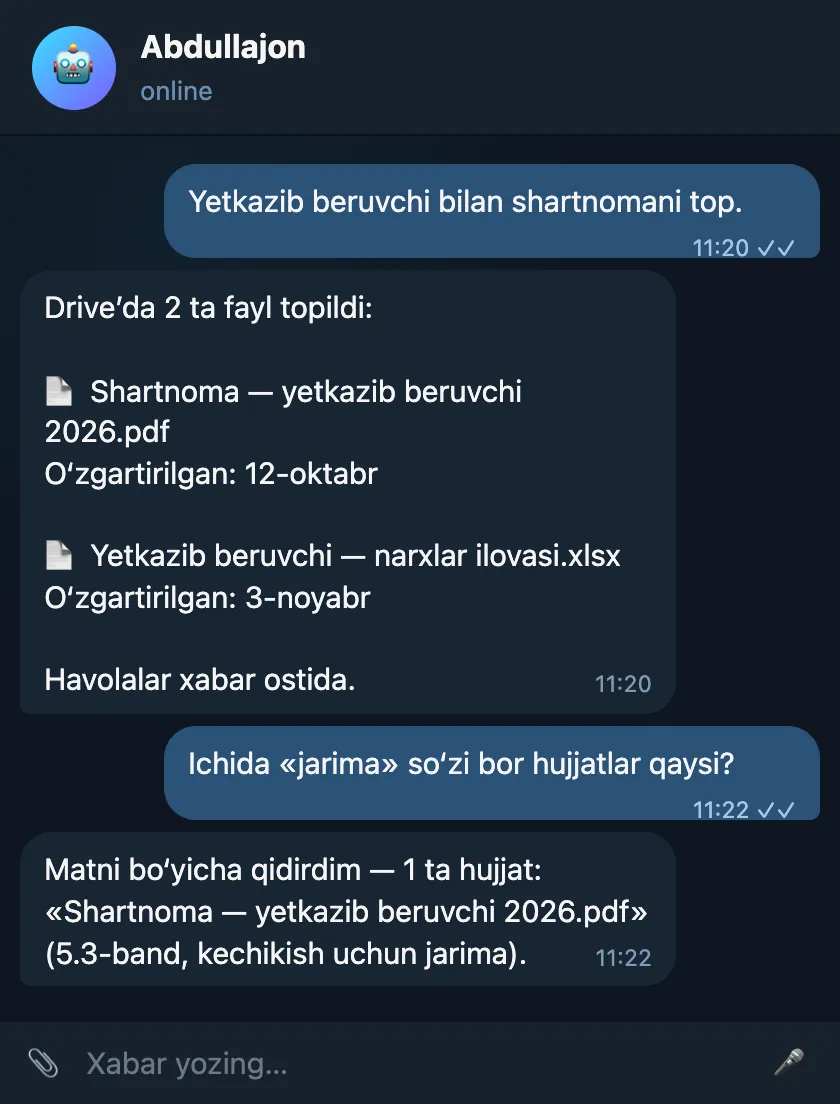
“Contract with the supplier”, “October report” — he searches by a word in the file name and shows the newest first.
Finds by the text inside
If you do not remember the name, he also searches by a word inside the document: “documents with the word penalty inside”.
Gives you a link
For every file found he sends the Drive link and the date it was last changed — you open it with one tap.
Across all accounts
If several Google accounts are connected, he searches the Drive of each at once.
Sample conversation
Finding a contract by its name and by a word inside.
Sample: names, numbers and amounts are made up — demo data.
How to connect
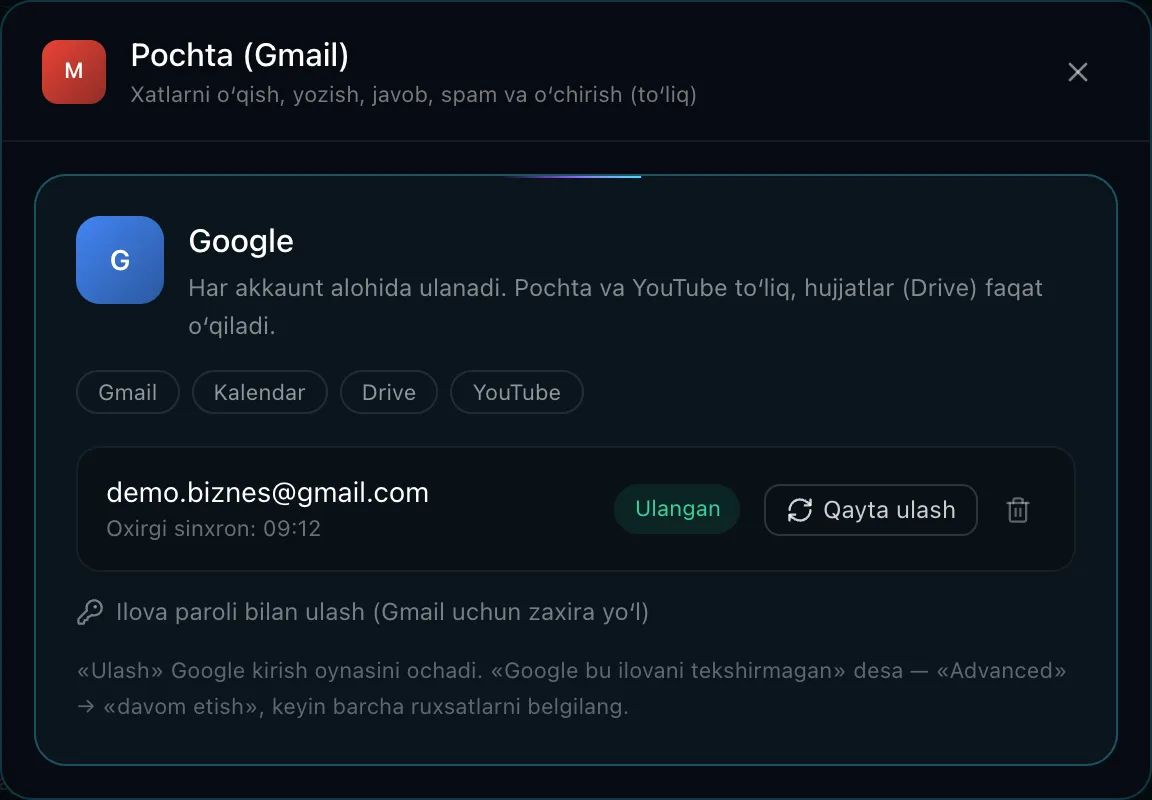
A Google account is connected once (Connectors → Google) — Drive is not set up separately.
Only read-only access to Drive is requested.
Security and limits
- Read-only: Abdullajon cannot change, delete or share files in Drive.
- Files in the trash are not included in search.
- The permission token is stored in encrypted form only in your own Abdullajon’s database.
FAQ
- Does he send the file itself to Telegram?
- Abdullajon sends the link to the file; the file stays in Drive and you open it with your own Google permissions.
Where else Abdullajon works
- Live
Telegram
The main workplace: messages, groups, channels, scheduled and recurring messages.
Learn more - Live
Phone calls
Reminder calls, a morning briefing and calls made on your behalf.
Learn more - Live
Gmail
Alerts about important emails, search, reading, replying, forwarding, archiving.
Learn more - Live
Google Calendar
Tells you about meetings, adds them to your calendar, calls ahead of time.
Learn more - Live
YouTube
Channel stats, new comments, replies, likes, subscriptions, video uploads.
Learn more - Live
GitHub
Repository status, commits, issues and PRs, merges, releases and other actions.
Learn more - Live
Railway
Server costs, an end-of-month forecast, services and deploy status.
Learn more - Coming soon
Instagram
Posts, reels, stories, Direct and comment replies, statistics.
Learn more - By agreement
Connect any system
CRM, sales, warehouse, accounting or your own software — a dedicated connector built for the individual client.
Learn more