Abdullajon keeps track of your schedule: he reminds you of meetings and adds them to the calendar
You do not have to check the calendar yourself — Abdullajon knows your schedule: he tells you about the day every morning, adds new meetings by voice and calls with a reminder before each one.
What Abdullajon does here
Tells you the plan
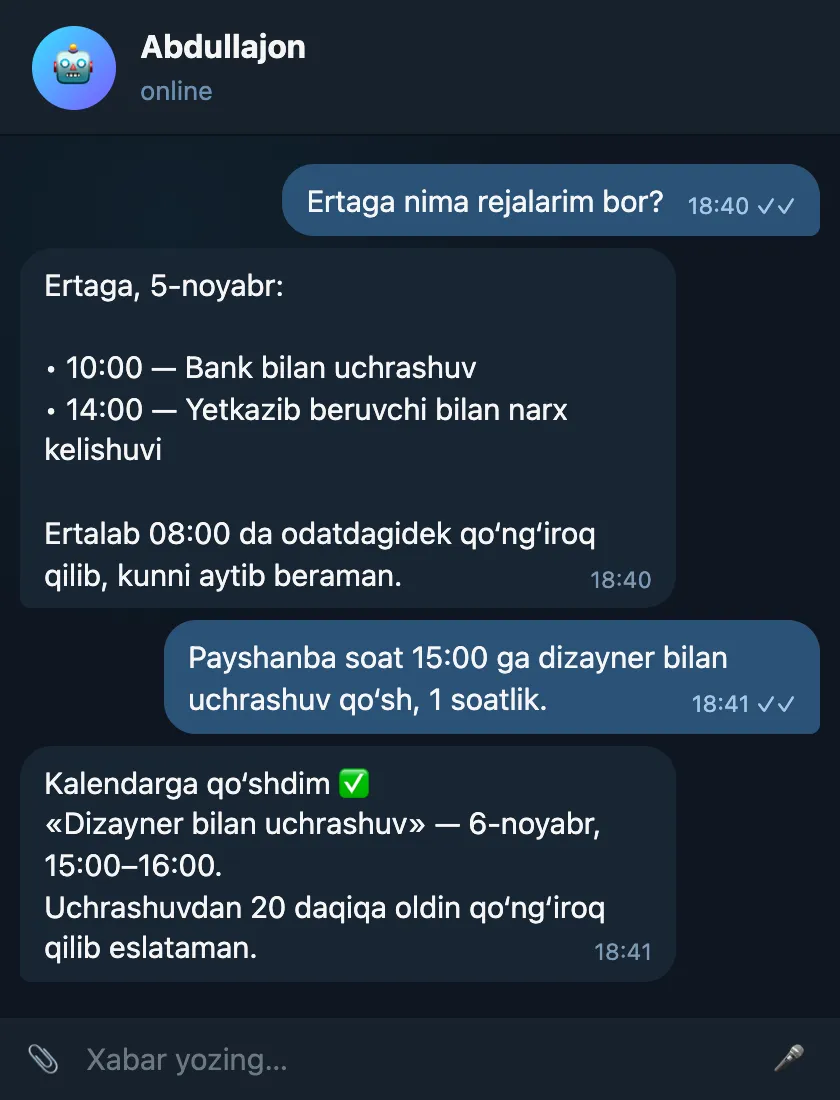
“What is on today?”, “tomorrow?”, “this week?” — he lists the meetings from all connected Google accounts, with times.
Adds a meeting by voice
“Add a meeting with the designer on Thursday at 15:00” — he writes it into the calendar. You choose which calendar to use in the settings.
Calls ahead of time
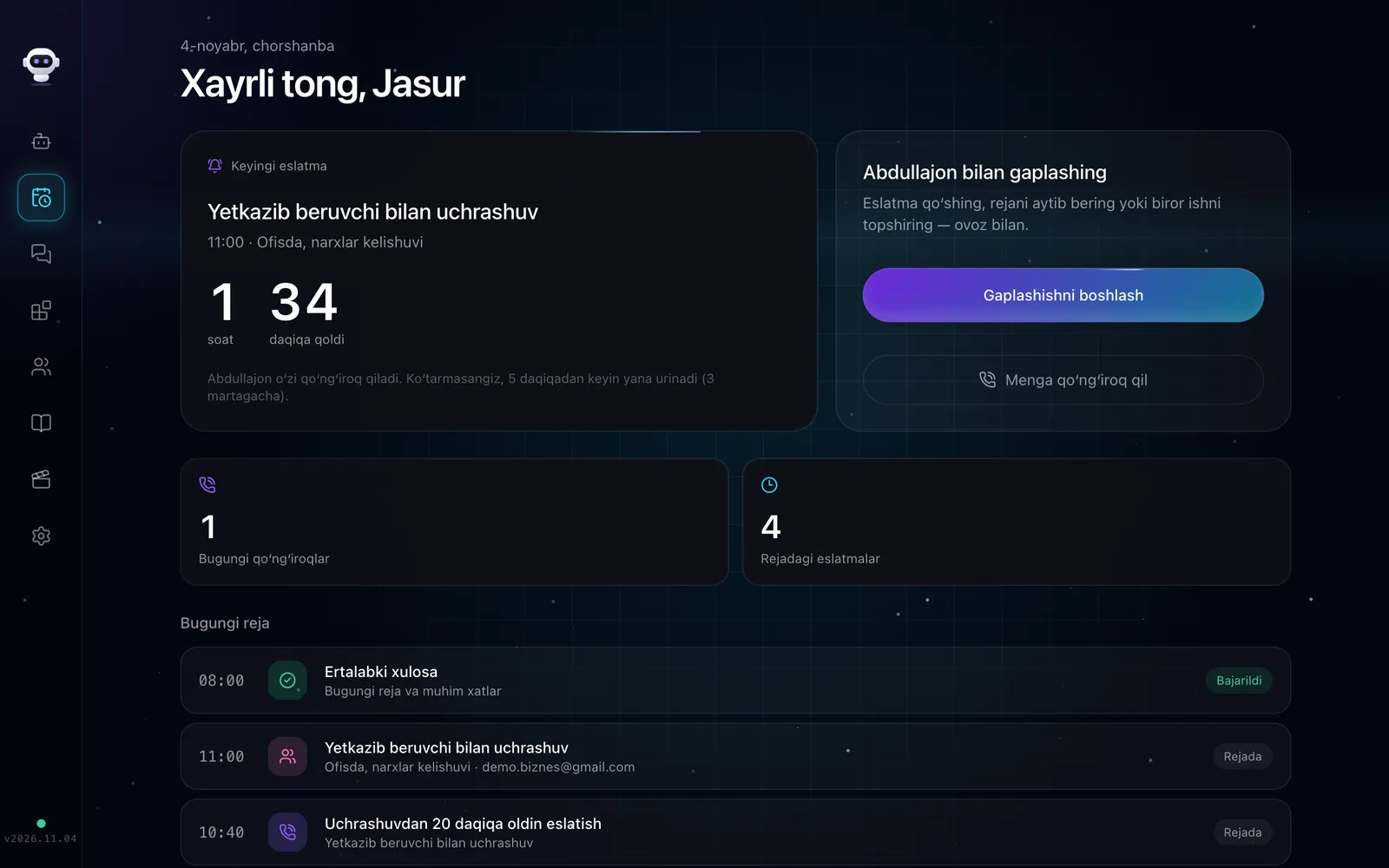
Before each meeting — 20 minutes by default, and you can change the time — he calls to remind you. He also reminds you of a meeting added to the calendar from elsewhere (except all-day events).
In the morning briefing
In every morning call he lists the day’s meetings in order.
Sample conversation
Tomorrow’s plan and a meeting added by voice (with an advance reminder).
Sample: names, numbers and amounts are made up — demo data.
How to connect
A Google account is connected once (Connectors → Google) — Gmail, Calendar, Drive and YouTube work together.
In the settings you choose which calendar meetings are written to and how many minutes ahead to remind you.
Security and limits
- Abdullajon does not delete meetings from the calendar — he only reads them and adds new ones.
- The permission token is stored in encrypted form only in your own Abdullajon’s database.
FAQ
- What if I have several calendars?
- If several Google accounts are connected, meetings are gathered from all of them. A new meeting is written to the account chosen in the settings.
- Does he invite anyone to the meeting?
- For now the meeting is written to your own calendar. If participants need to be told, Abdullajon messages them on Telegram.
Where else Abdullajon works
- Live
Telegram
The main workplace: messages, groups, channels, scheduled and recurring messages.
Learn more - Live
Phone calls
Reminder calls, a morning briefing and calls made on your behalf.
Learn more - Live
Gmail
Alerts about important emails, search, reading, replying, forwarding, archiving.
Learn more - Live
Google Drive
Finds the file you need by name or by the text inside.
Learn more - Live
YouTube
Channel stats, new comments, replies, likes, subscriptions, video uploads.
Learn more - Live
GitHub
Repository status, commits, issues and PRs, merges, releases and other actions.
Learn more - Live
Railway
Server costs, an end-of-month forecast, services and deploy status.
Learn more - Coming soon
Instagram
Posts, reels, stories, Direct and comment replies, statistics.
Learn more - By agreement
Connect any system
CRM, sales, warehouse, accounting or your own software — a dedicated connector built for the individual client.
Learn more